A. For Documents that was held in CURRENT fiscal period
1. Click "Tree On" button of the "Enter G/L account document" or "Enter vendor invoice" screen

2. Click Held documents

3. Double Click the document you want to post
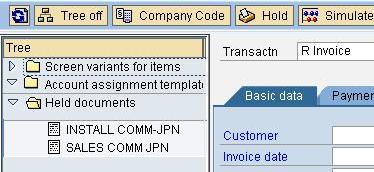
4. The following screen will be appeared

5. Click
 to scroll through the document
 6. make changes as needed
7. Save
B. For Documents that were held in Previous Fiscal Period
1. Change the posting date to current fiscal period

2. Save
порно молоденькие анал http://free-3x.com/ фото секс малолеток free-3x.com/ школьницы скачать фото [url=http://free-3x.com/]free-3x.com[/url]
ReplyDelete